

.svg.png)


Track consumption
Follow the status of your consumption in real time
Prerequisites
✓ Already have an App account
✓ Have connected Salesforce production
How to have a vision on consumption
Discover the status of your consumption in real time, whether it is the number of documents generated or documents sent for signature and follow your progress
After connecting Salesforce production to the App account, a message appears on the home page indicating that an account verification is in progress.
Note
For security reasons, we perform an advanced verification of production linking requests. This does not affect the use of our solutions.
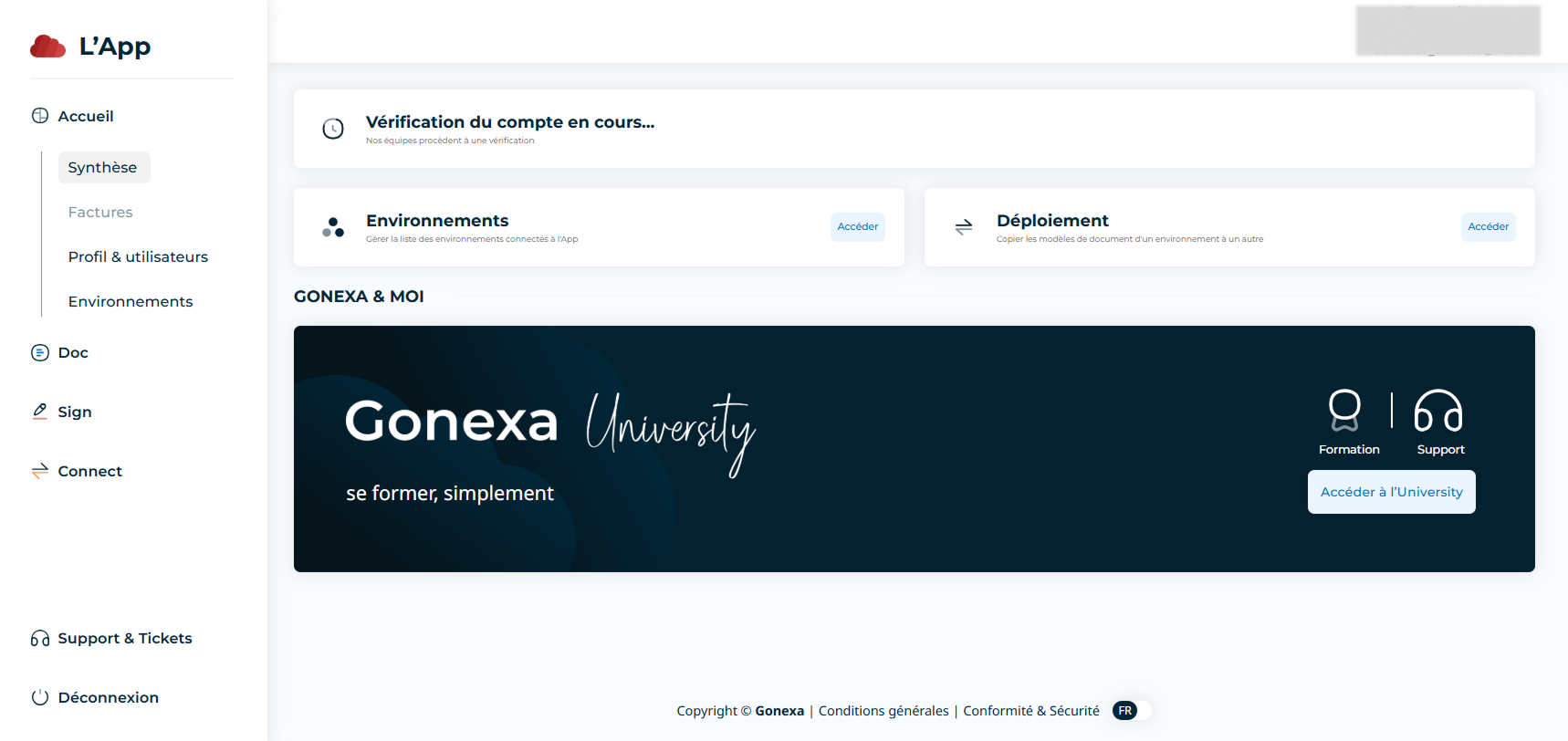
- Go to the “Doc” tab then to “Consumption”
- A summary map shows the number of generations over the current period.
- A chart allows you to analyze your consumption trends
- You can change the contract period to view previous consumption data
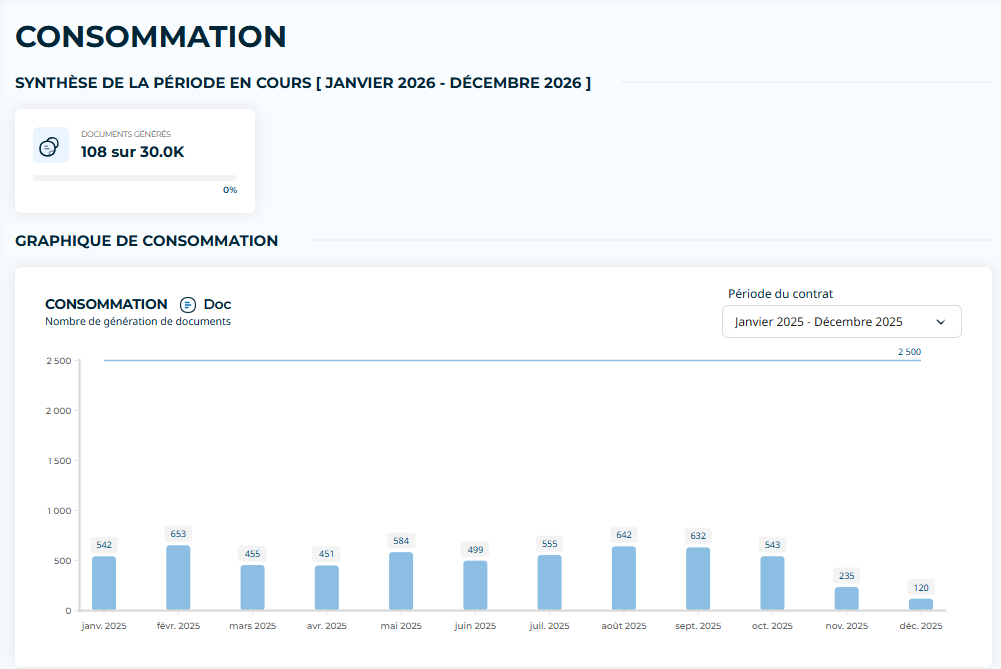
Light blue: number of past consumption periods
Dark blue: number of current consumption periods
Consumption Sign
- Go to the “Sign” tab then to “Consumption”
- A summary map shows the number of generations over the current period.
- A chart allows you to analyze your consumption trends
- You can change the contract period to view previous consumption data
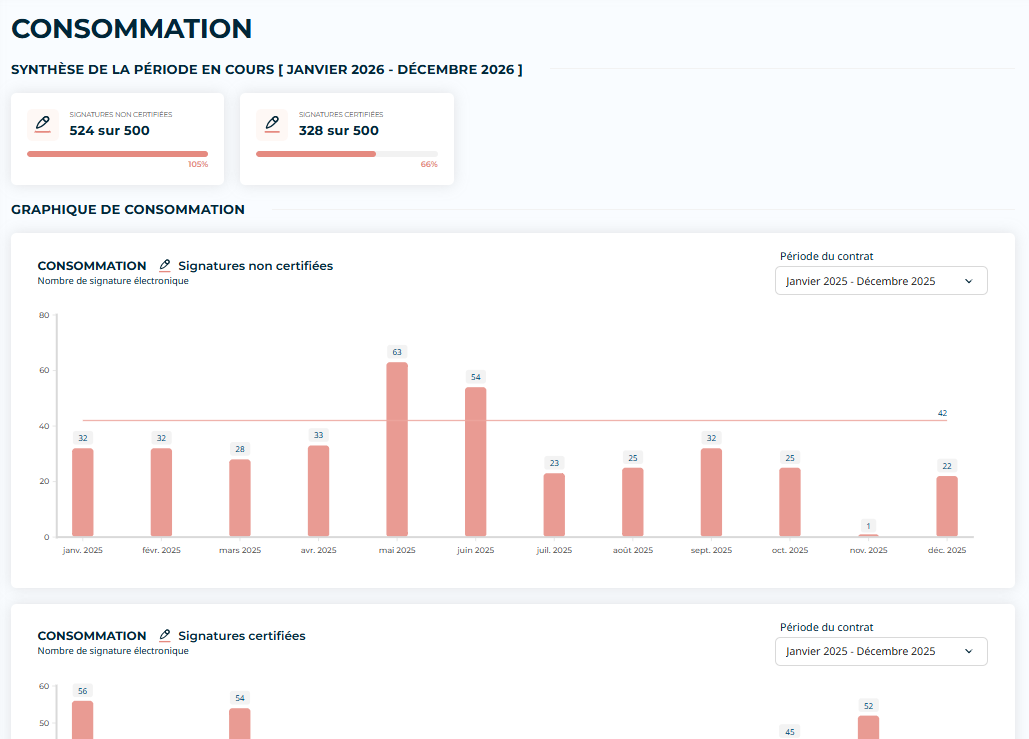
Light red: number of past instances of consumption
Dark red: number of current instances of consumption